
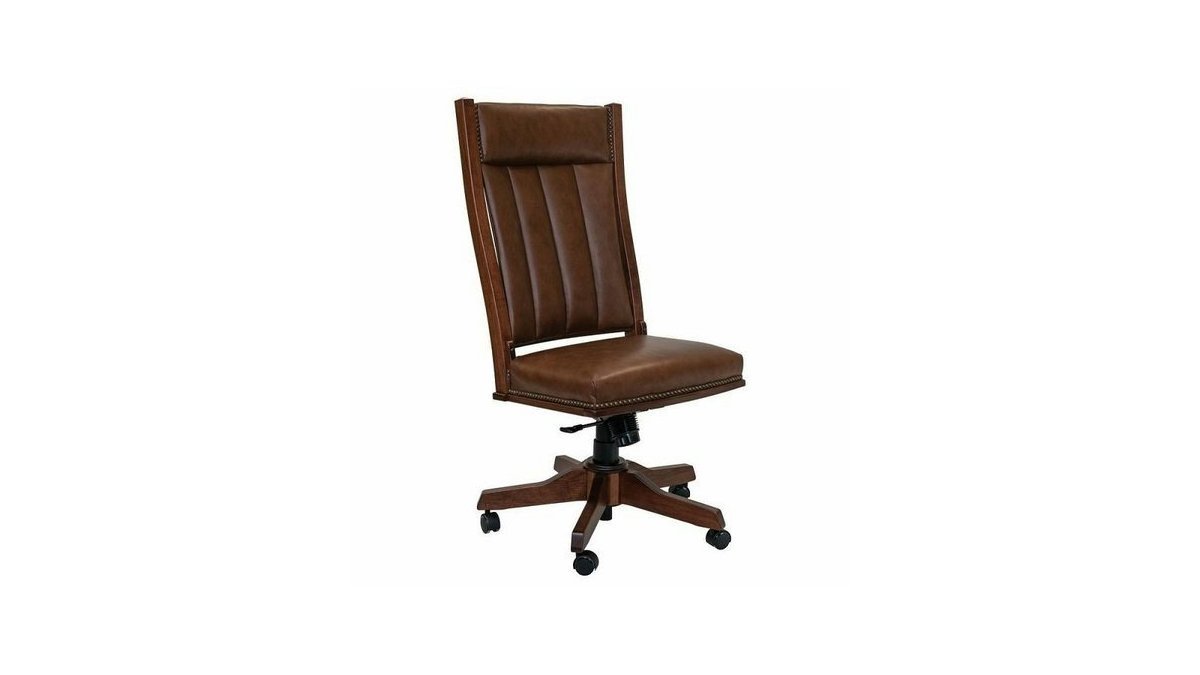
Finding the right seating setup for your workspace can be challenging, but many professionals find that armless office chairs provide the versatility and freedom of movement required for dynamic work environments. Whether you’re working in a tight space or need to tuck your chair completely under a desk, these designs remove physical barriers that often restrict your posture. Prices for these specialized items generally range from $85 to $550, depending on the materials, ergonomic features, and brand reputation you choose for your home or professional office.
Key Takeaways
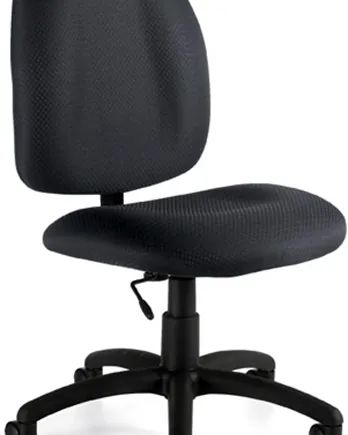
- Measure your desk height carefully to ensure the seat pan fits underneath when you’re finished for the day.
- Prioritize models with adjustable lumbar support to compensate for the lack of armrests during long work hours.
- Check the weight capacity of the base, as armless models often use slimmer profiles that may have lower load limits.
- Consider a swivel base or rolling casters to maintain mobility, which is especially important when you lack armrests for bracing.
- Verify that the seat material is breathable or easy to clean, as these chairs often see more frequent movement and contact.
Why Choose Armless Designs?
Many office workers feel restricted by traditional chairs because armrests often collide with desk edges or limit how close you can sit to your workspace. An armless chair eliminates this friction entirely. By removing the protruding structures, you gain a greater range of motion, allowing you to reach for items on your desk or move your legs freely without feeling trapped. This design is particularly beneficial for those who frequently switch between typing, writing, and meeting with colleagues.
Ergonomic freedom is the primary advantage of these chairs. Without fixed armrests dictating your position, you’re naturally encouraged to sit in a way that aligns with your specific body mechanics. However, because you lack a surface to rest your elbows, you must be more conscious of your posture. Maintaining a neutral spine and keeping your feet flat on the floor becomes even more critical when you don’t have armrests to lean on.
Benefits and Drawbacks Comparison
| Feature | Armless Chair | Standard Task Chair |
|---|---|---|
| Desk Clearance | Excellent; fits fully under desk | Limited; armrests often hit edges |
| Movement Range | High; unrestricted by side bars | Moderate; restricted by armrests |
| Elbow Support | None; requires manual adjustment | Built-in; relieves shoulder tension |
| Space Efficiency | High; compact footprint | Low; requires wider clearance |
| Ideal User | Active workers, tight spaces | Static typists, long-term sitters |
When Should You Use Them?
You should consider an armless chair if your workspace is limited in square footage or if you frequently pivot between multiple monitors or tasks. Because these chairs have a smaller visual and physical footprint, they make a room feel less cluttered. They’re also ideal for people who play musical instruments at their desk, as the absence of armrests prevents the chair from bumping into the instrument while you play.
Increased mobility is the hallmark of these designs. If you find yourself constantly shifting your weight or reaching for supplies, the lack of armrests allows you to move fluidly. If you’re worried about repetitive strain, ensure you have a chair with a high-quality pneumatic lift and a sturdy backrest to support your lumbar region, as these features are essential for maintaining proper office ergonomics during long sessions.
Critical Features for Armless Office Chairs
When shopping for an armless chair, don’t just look at the aesthetic. Focus on the structural integrity of the frame and the quality of the upholstery. Since you don’t have armrests to help you steady yourself when sitting down or standing up, the base of the chair must be exceptionally stable and durable. Look for heavy-duty steel or reinforced nylon bases to ensure long-term reliability.
The seat cushion density is another vital factor. Because you’ll be shifting your weight more often without armrest support, you need high-density foam that doesn’t bottom out after a few months of use. Look for “waterfall” seat edges, which help reduce pressure on the back of your thighs and improve circulation, especially if you spend more than four hours a day at your desk.
Proper Posture Without Armrests
Without the aid of armrests, your core muscles must do more work to keep you upright. This can actually be a benefit for your long-term health, as it prevents the “slumping” that often occurs when people lean heavily on their armrests. To sit correctly, keep your shoulders relaxed and down. Your elbows should ideally be at a 90-degree angle, with your forearms parallel to the floor, resting lightly on your desk surface if possible.
Core engagement is a natural side effect of using an armless design. If you feel your lower back fatiguing, it’s a signal to stand up and stretch. Don’t attempt to force your body into a static position. Instead, lean back into the chair’s backrest to distribute your weight evenly. If your chair features a tilt-lock mechanism, use it to find a slight recline that provides comfort while still allowing you to reach your keyboard comfortably.
Maintenance and Care Tips
Maintenance for armless chairs is generally simpler than for standard chairs because there are fewer mechanical joints and crevices where dust and debris can accumulate. Wipe down the seat and backrest weekly with a damp cloth to prevent oils from your skin from breaking down the fabric or leather. Check the caster wheels once a month to ensure no hair or carpet fibers are tangled in the axles.
Preventative maintenance also involves checking the bolts and screws every quarter. Because these chairs are moved frequently to tuck them under desks, the constant motion can loosen fasteners over time. If you notice any wobbling, tighten the hardware immediately to prevent damage to the base or the gas cylinder. Keeping the chair in top shape extends its life and ensures you remain supported during your workday.
Top Brands and Models
When searching for reliable armless office chairs, focus on brands known for durability and minimalist design. Many manufacturers offer “armless” versions of their flagship models, allowing you to get high-end ergonomics without the side structures. Here are a few notable options to consider:
- Steelcase: Known for high-end, long-lasting task chairs.
- Herman Miller: Offers sleek, modern designs that fit well in home offices.
- HON: Great for mid-range, professional-grade office seating.
- Flash Furniture: Provides budget-friendly, compact options for small spaces.
- Boss Office Products: Often features simple, durable designs for basic tasks.
How Can You Customize Comfort?
If you find that an armless chair feels too sparse, you can add external accessories to improve your experience. Footrests are an excellent addition; they help maintain proper hip alignment and take the pressure off your lower back. You can also add a lumbar pillow or a back cushion to provide extra support if the chair’s built-in backrest isn’t sufficient for your specific spinal curvature.
Personalized support is key to making any office chair work for your body. If you struggle with wrist fatigue, consider a desk-mounted keyboard tray or a gel wrist pad to provide the support that armrests would have otherwise offered. By modifying your environment rather than just the chair, you create a holistic setup that promotes health and productivity throughout the day.
Troubleshooting Common Issues
If you experience pain or discomfort, the first step is to check your seat height. Your feet should be flat on the floor, and your knees should be at a 90-degree angle. If your chair is too high, you’ll put pressure on the back of your thighs; if it’s too low, you’ll put excessive strain on your lower back. Adjusting the seat height is the single most effective way to resolve most seating issues.
Warning: Never attempt to modify the gas cylinder or the mechanical lift mechanism of an office chair yourself, as these are pressurized components that can cause injury if handled incorrectly. If the lift fails, contact the manufacturer for a replacement part or a professional repair service.
Another common issue is the chair sliding too easily on hard floors. If you find yourself chasing your chair, consider using a rubberized chair mat or switching to “soft” casters designed for hardwood floors. These provide just enough friction to keep you stable without damaging your flooring. If the chair feels unstable, ensure that all five casters are firmly inserted into the base.
Comparing Material Options
| Material | Durability | Breathability | Cleaning Ease |
|---|---|---|---|
| Mesh | High | Excellent | Moderate |
| Leather | High | Low | Easy |
| Fabric | Moderate | Moderate | Difficult |
| Vinyl | Moderate | Low | Very Easy |
Frequently Asked Questions
Can I add armrests later if I change my mind?
Most armless chairs are designed without the necessary mounting brackets or pre-drilled holes to accept armrests later. Trying to retrofit an armless chair with aftermarket armrests can compromise the structural integrity of the frame and void your warranty. If you think you might want armrests in the future, it’s significantly safer and more cost-effective to purchase a chair that includes them from the start.
Are armless chairs better for small spaces?
Yes, they’re ideal for small spaces. Because they lack the width of traditional armrests, they have a smaller footprint and can be pushed completely under a desk or table. This creates a cleaner look in a room and prevents the chair from becoming an obstacle when it isn’t in use. They’re the standard choice for minimalist home office setups where every inch of floor space matters.
Will I miss having armrests while typing?
Many people adjust surprisingly quickly to the lack of armrests. If you’re used to leaning on them while typing, you may initially feel a need for support, but this often encourages better posture by forcing you to engage your core and keep your elbows floating. If you need support, consider a keyboard tray that allows you to position your hands at the correct height relative to your desk.
Are these chairs suitable for long work hours?
They can be, provided the chair offers high-quality lumbar support and a well-contoured seat. The duration you can sit comfortably depends more on the ergonomics of the chair’s backrest and seat pan than on the presence of armrests. If you choose a high-quality model with adjustable tension and seat height, you can maintain comfort for a full workday without the need for armrests.
How do I measure my desk for fit?
Measure from the floor to the underside of your desk surface, accounting for any keyboard trays or drawers. Then, measure the highest point of your chair’s seat cushion at its lowest setting. Ensure there’s at least a two-inch gap between the top of the seat and the underside of the desk to allow for clearance. This prevents your legs from feeling cramped while sitting.
Conclusion
To ensure your workspace remains both functional and comfortable, start by clearing your desk surface to measure the exact clearance you have under your workstation. Once you have those dimensions, look for a model that fits within your budget and offers the lumbar support you need. Taking these simple steps today will help you create a more efficient and comfortable office environment.